GNOME
Gongshang New Optical Marking for Exams
Receive & reconcile
1. Scanner PDFs
Select all simplex PDF chunks from the Canon scan. Files are naturally sorted; page order inside each file is preserved.
2. Roster & expected cohort optional
Optional. Import a Flexi Grab JSON roster to add names and expected-cohort checks. Without a roster, GNOME still runs using the shaded Class / Index identity; names, missing-candidate and absence checks are unavailable.
3. Resume a completed run optional
Load the Session JSON, then supply its matching Scripts PDF. GNOME verifies the SHA-256 fingerprint before restoring visual review.
School DLP / Purview: prepare files before upload
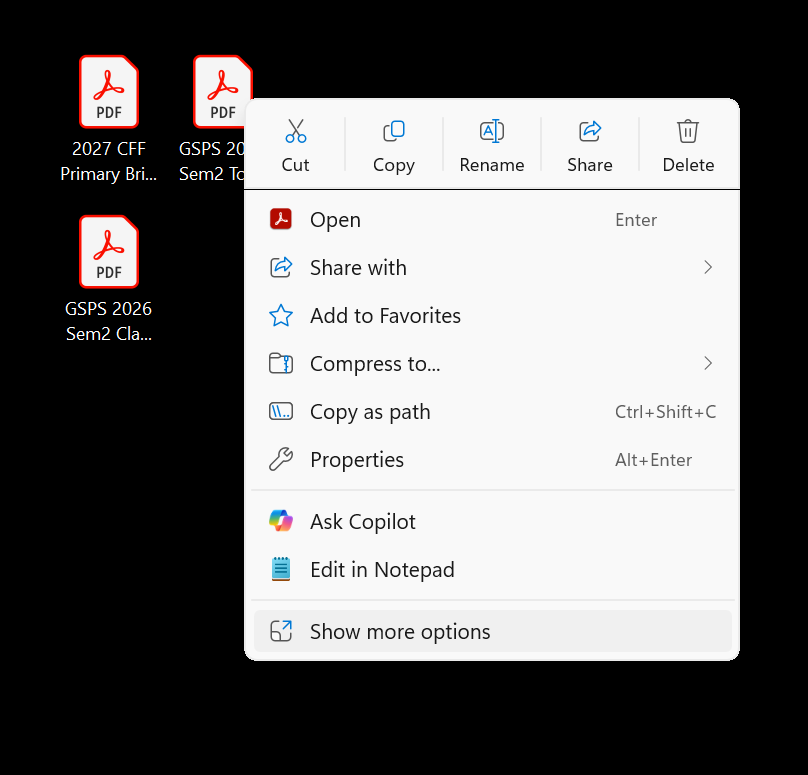
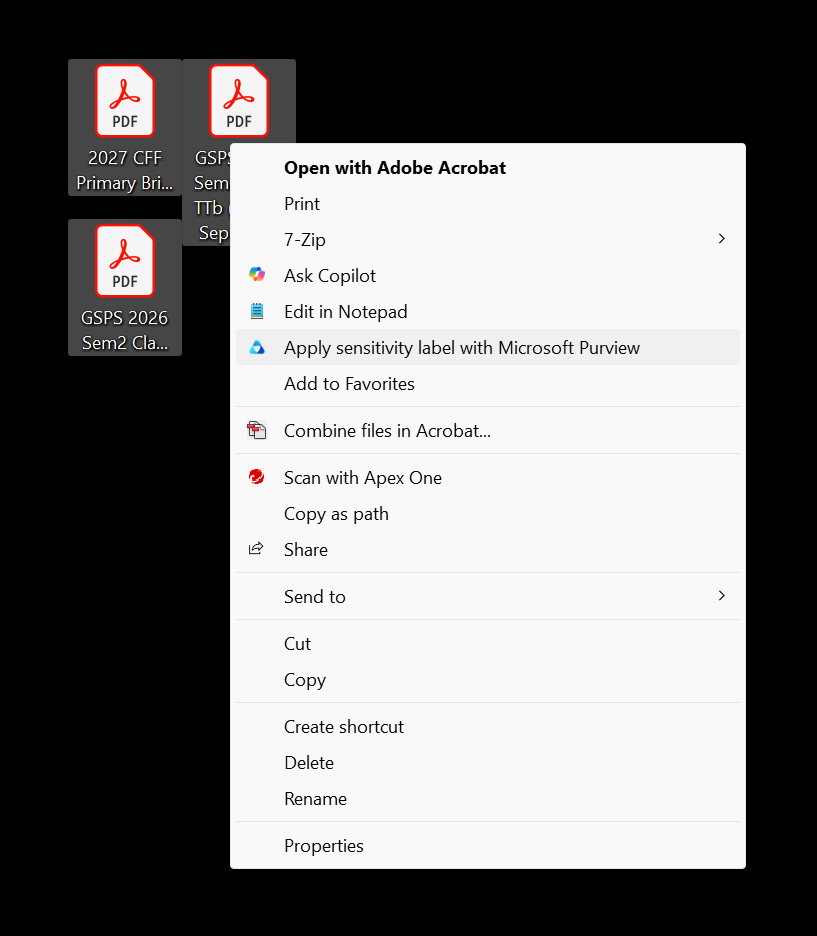
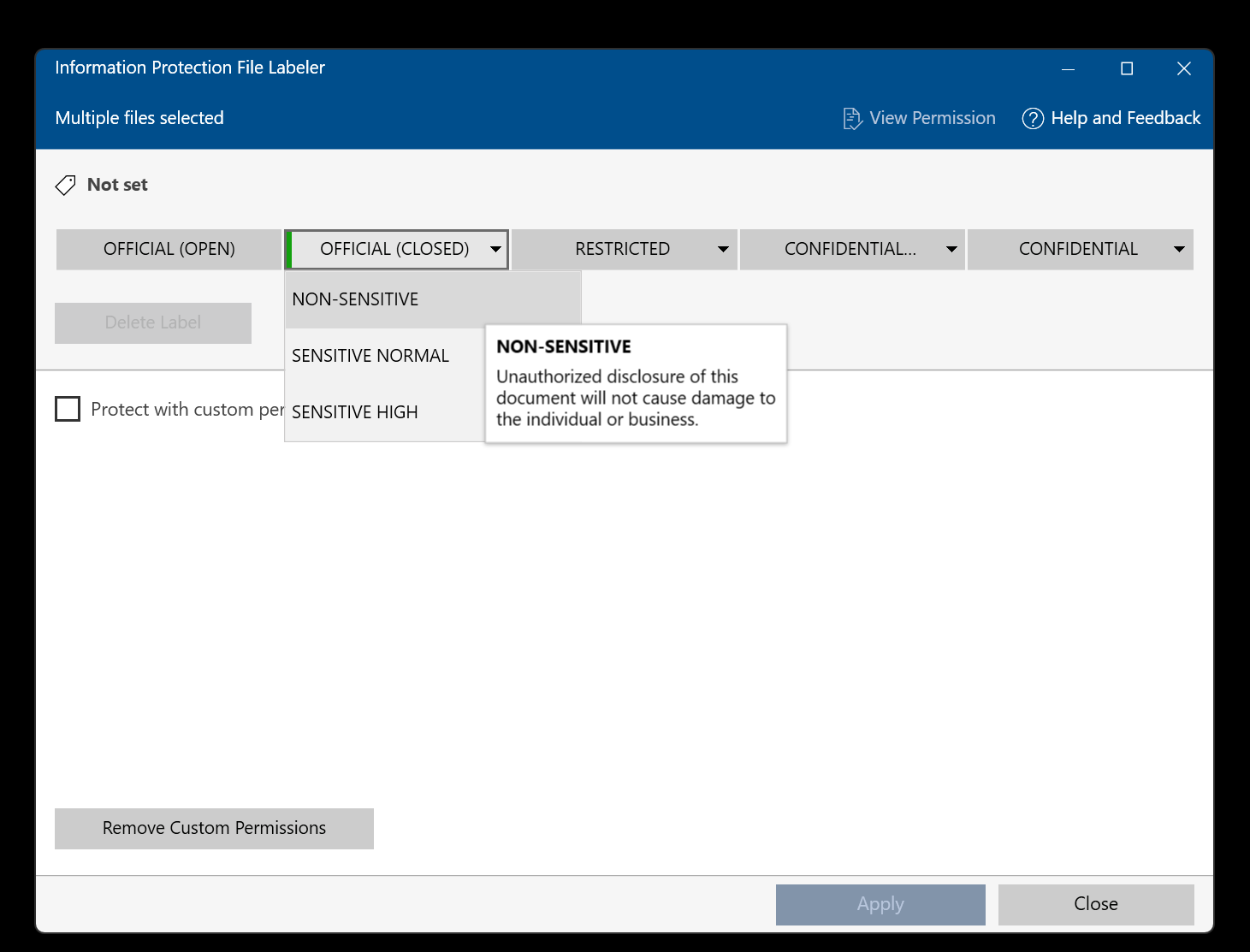
In Windows Explorer select the scan PDFs, open the classic context menu, choose Apply sensitivity label with Microsoft Purview, then use OFFICIAL (CLOSED) - NON-SENSITIVE.
Setup answer key
Paste directly from Excel into the table if useful. Presets fill question numbers and mark allocation only; correct answers stay blank.
| Q# | Correct Ans | Mark allocated |
|---|
Mark & export
Marking scripts
Any material change to cohort, identity, responses, answer key or marks makes the run dirty; simply re-mark.
Building export package
Separate progress from marking. GNOME builds Scripts PDF, Annotated PDF, Result Slips, Analysis.xlsx, Session JSON, then the ZIP.
ZIP contents
Scripts [timestamp].pdfAnnotated [timestamp].pdfResult Slips [timestamp].pdfAnalysis [timestamp].xlsxSession [timestamp].json